AI training
Claude training for finance teams in South Africa.
I train finance teams to use Claude on their own work, from reconciliations and budgets to board packs, and to check every answer against the source. Classes run at your offices or on Microsoft Teams or Google Meet, for up to 15 people.
Courses and prices.
AI Fundamentals with a Finance Focus
R8 500 per team
The standard course for beginners. A full day for up to 15 people, at your offices or on Microsoft Teams or Google Meet.
Book this course →AI Finance Practitioner
R12 500 per team
The standard course for intermediate to advanced users. A full day for up to 15 people, at your offices or on Microsoft Teams or Google Meet.
Book this course →Customized team training
R8 500 for the day
The course fitted to the applications your team uses and the problems you want solved, in Claude or Copilot.
Book customized training →One to one training
R750 per hour
Remote or at your desk, on your own work. The AI basics session, for people who are new to AI, is the same rate.
Book one to one training →What the team learns to do with Claude.
- Build reusable prompt templates with worked examples for recurring finance tasks
- Use AI to prepare reconciliations and flag the items that do not match
- Draft a budget, build cash flow scenarios and run sensitivity tests
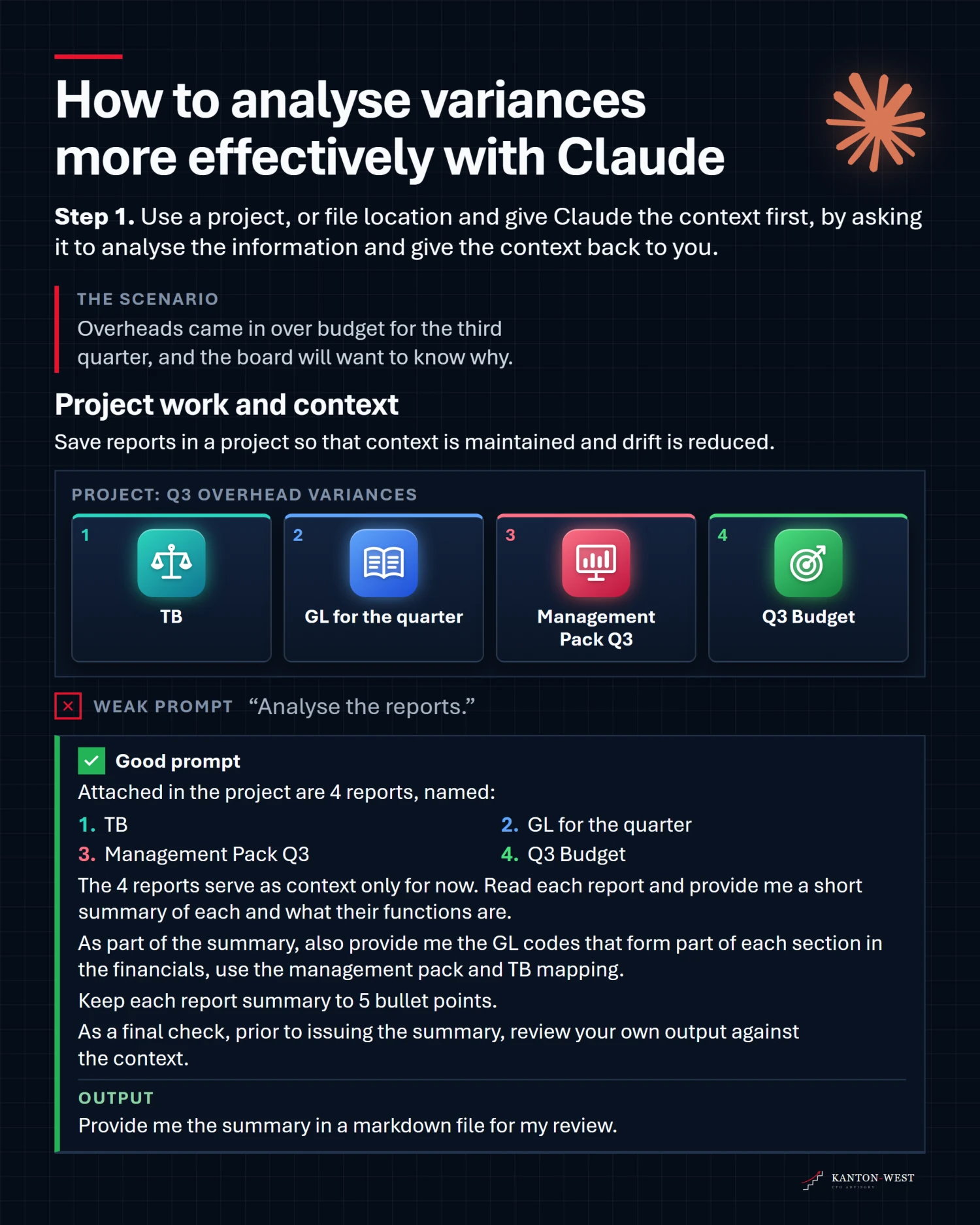
- Tie totals to the trial balance, demand sources and catch invented numbers
- Turn a variance table into commentary and charts management can read at a glance
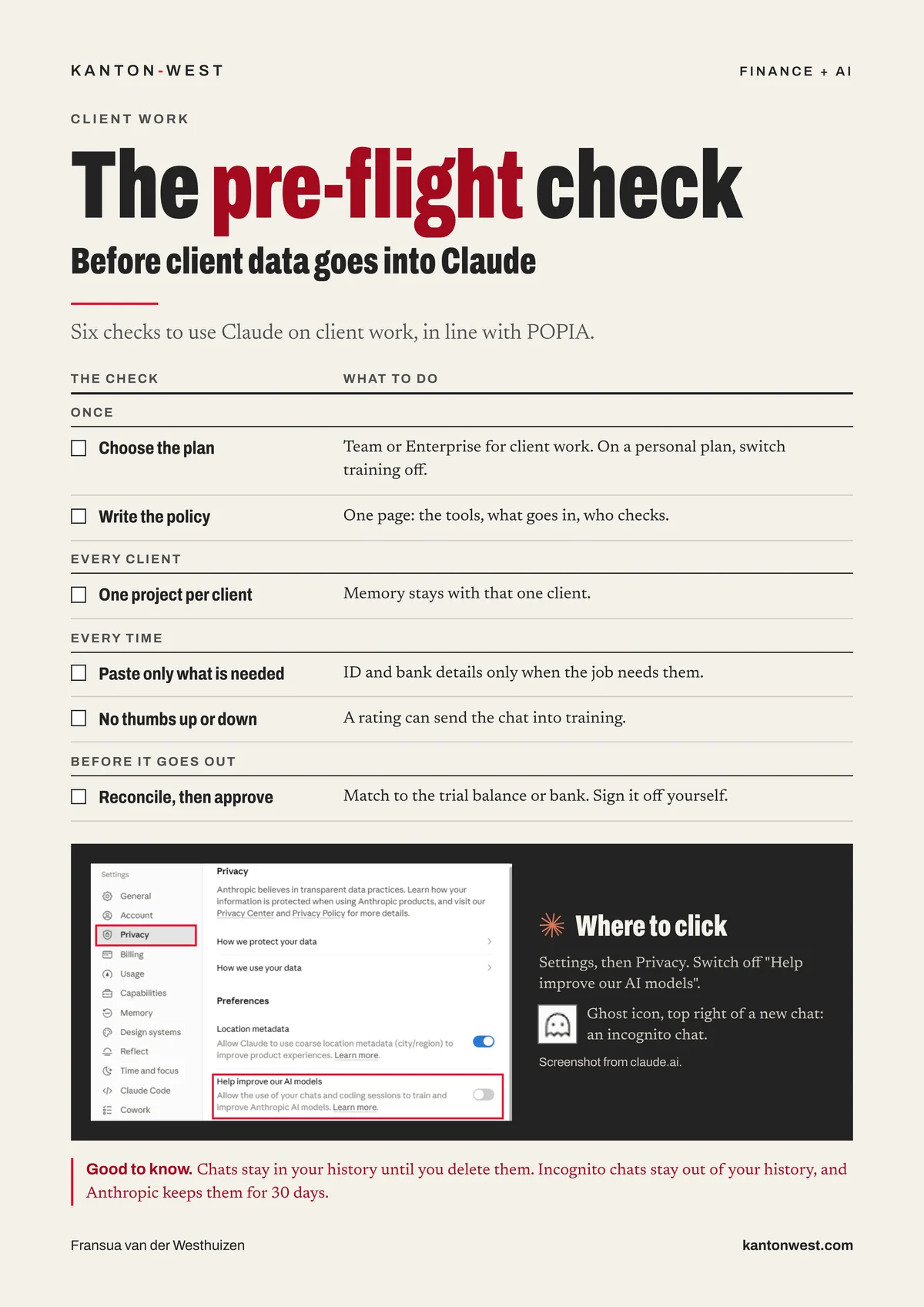
- Keep client data safe under POPIA and keep a human review step on every answer
Examples of what you will learn.
Who runs the training.
The training is run by Fransua van der Westhuizen, BAP(SA), registered with CIBA (SAIBR 2709), a career CFO and an AI CERTs Certified Trainer who also holds the AI+ Finance Practitioner, AI+ Finance and AI+ Foundation certificates.
I use AI in my own work for:
- Building and checking models
- Preparing month end and board packs
- Reconciling
- Turning my inbox into an action list
- Automating process flows
- Dashboards from ERP systems
- Summarising minutes into key items and action points
- Identifying risk areas
- Preparing and reviewing policies and documents, as an assistant
The tools I use: Claude and Claude Code for finance work, also inside the Microsoft 365 suite, Microsoft Copilot inside Microsoft 365, ChatGPT as a chat assistant, Gamma for presentations and Granola for meetings and minutes. More about me.
On LinkedIn: Fransua van der Westhuizen and Kanton-West.
Questions about the training.
Does the team need to know anything about AI before the training?
No. The session starts from what you actually do in a week and works backwards to the tool. If you already use it daily, the session skips the basics and goes to getting an answer you can rely on, and building the recurring task you currently rebuild by hand every month.
Can the training run online?
Yes. One to one training runs remotely or at your desk. The team courses run at your offices, or online on Microsoft Teams or Google Meet, for up to 15 people.
Should we use Claude or Microsoft Copilot?
Use the one that sits where your work already is, and check every answer either way. Copilot lives inside Microsoft 365, so it works in your Outlook, Word, Excel and Teams without leaving them. Claude is the one I use every day and teach: it works in Excel through Claude for Excel, and connects to a work Microsoft 365 account for your mail and files.
Are software subscriptions included in the training?
No. Software and hosting subscriptions are separate. Available connections depend on your software, subscriptions and permissions.
What does the training cost?
One to one training and the AI basics session are R750 per hour. AI Fundamentals with a Finance Focus is R8 500 per team and AI Finance Practitioner is R12 500 per team, each a full day for up to 15 people. Customized team training is R8 500 for the day.
Contact
Talk to me about your business.
The first conversation costs nothing. I will reply within one working day.
fransua@kantonwest.com · +27 83 480 9301 · Cape Town