
Financial modelling with Claude · Free with your email
How to Use Claude and Excel to Build Financial Models
This course teaches you to build a five year financial model with Claude, with an income statement, a balance sheet and a cash flow, then check and fix it in Excel with Claude for Excel, and finish with an executive dashboard where every number is a formula that points back to the model. Claude does the building. You set the assumptions, approve every change and sign off. You download the course guide and the working files: the input file for an invented packaging company, a practice model with faults planted for you to find, the finished model to compare against, and the prompts ready to paste.
If you build financial models in Excel and want Claude to do the building while the judgment stays yours, this was built for you.
Who this is for
- Hands-on FP&A analysts who build models in Excel
- Accountants who want a model they can trace and sign
- Anyone starting out with Claude and Claude for Excel
How long it takes
- About 1h30hrs for the whole course, from setting up your tools to signing off the model
- The prompts come ready to paste, so no stage starts from a blank page
- The practice model comes with its faults already planted, so the checking starts straight away
What this will teach you
- How to have Claude build a working model with code, and test it in Excel
- How to check and fix a model with Claude for Excel, approving every change
- How to build a dashboard where every number links back to the model
The outcome
See the outcome before you start
Two screens from the finished model, run live on 17 September 2026. Claude built the headcount plan while it checked and fixed the model, then the dashboard in the last stage, and every figure on it points back to a model cell.
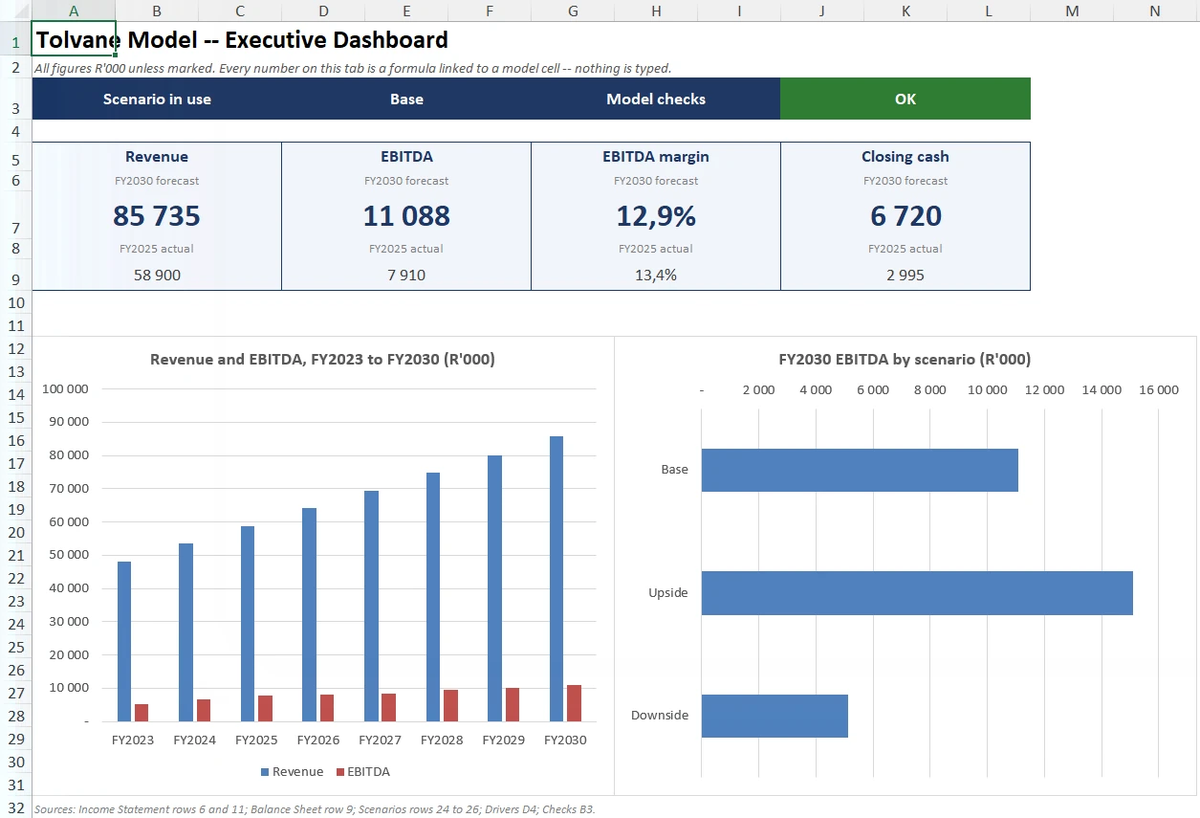
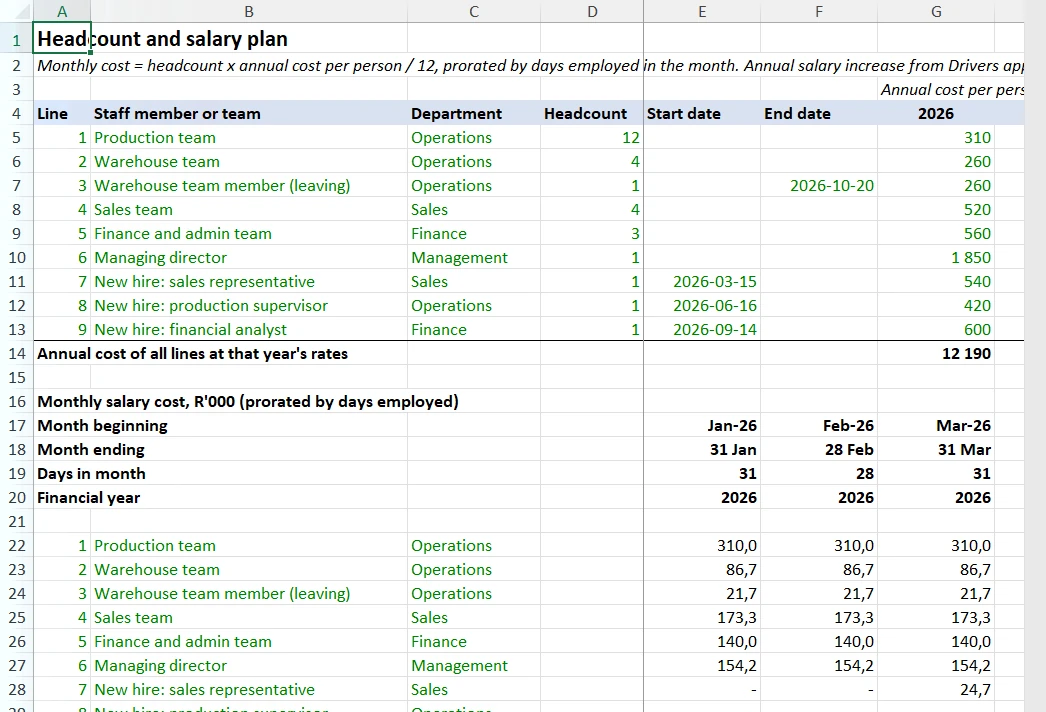
Here is what you will hold at the end, and what each piece does for you. A five year model with an income statement, a balance sheet and a cash flow, built by Claude from the input file and tested in Excel. A checks cell that reads ERROR the moment a typed number breaks the model. An executive dashboard where every card and chart is a formula that points back to a model cell. The prompts, ready to paste. And the sign off checklist, because someone signs before anyone uses the model.
And the honest arithmetic. The whole course takes about an hour and a half, from switching on your tools to signing off the model, and it was run live and checked on 17 September 2026. Claude does the building. You set the assumptions, approve every change and sign off.
From the input file to your own model. Here is the road.
- What you will buildPRINCIPLE
- Set up your toolsBUILD
- Prepare your input fileBUILD
- Stage 1: Build the model with codeBUILD
- Stage 2: Check and fix the model in ExcelRUN
- Stage 3: Build the executive dashboardBUILD
- Sign off the modelSIGN
The pack
What this consists of
| In the pack | What it is |
|---|---|
| The Course Guide | The whole method, stage by stage, as one page that opens in your browser, with the sign off checklist inside. |
| The Input File | Three years of actuals for an invented packaging company, the staff list and every assumption. |
| The Practice Model | The model after the first stage, with faults planted for you to find in the second. |
| The Finished Model | The model after the last stage, dashboard included, to compare your numbers against. |
| The Prompts | The prompt for every stage as plain text, with where to paste each one. |
Tolvane Cartons (Pty) Ltd, the business running through the course, is invented. Every figure in it was made up for the course.
Free with your email
Get the course
Rather run it live, in the room? The training day does exactly this at your offices, in your own live files, with your team. A conversation costs nothing.